
Text the demo clinic
Send an SMS from your phone, choose an appointment time by text, then watch the demo calendar on this website.
See phone SMS instructions+639491502419
Text from your phone. Keep the calendar open here.Try an AI booking conversation, then watch the calendar update. Use the sample details below—no real patient information needed.
Live AI chat using the demo clinic’s calendar. Website messages stay here; no SMS is sent.
Use Ana’s sample details or a made-up name. Ask about services, prices or available appointment times.
Choose a sample message or write your own.
Chat can create or change your own demo appointments. This calendar view is read only and hides patient details.
On your phone, text +639491502419. Keep this page open to see the appointment appear.
The calendar refreshes automatically. A request needing clinic approval is labeled accordingly. Normal SMS charges apply.
Open my phone’s SMS app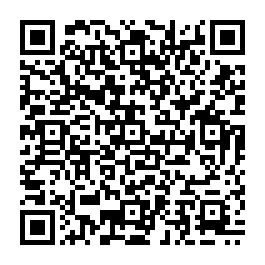
Ask for available times, then choose and confirm a booking. The demo clinic uses staff approval, so a saved request is labeled “Awaiting clinic approval.”
Loading the clinic calendar…
After booking, ask to reschedule. Ask to cancel when you’re finished. Aya verifies each change against the calendar.
Send an SMS from your phone, choose an appointment time by text, then watch the demo calendar on this website.
See phone SMS instructions+639491502419
Text from your phone. Keep the calendar open here.Message KadaCall Demo Clinic on Facebook and try booking with the AI assistant.
Open Messenger ↗Use a fictional patient name. No medical records needed.Bring appointment inquiries from Instagram into your clinic’s booking workflow.
Ask about Instagram setupThe public Instagram demo is not connected yet.External messaging opens a separate conversation. Its booking can appear on the shared demo calendar; it does not continue your website chat.
We’ll show you how messaging, calendars and recalls fit your front desk.